
Brand DNA & Brand Extraction
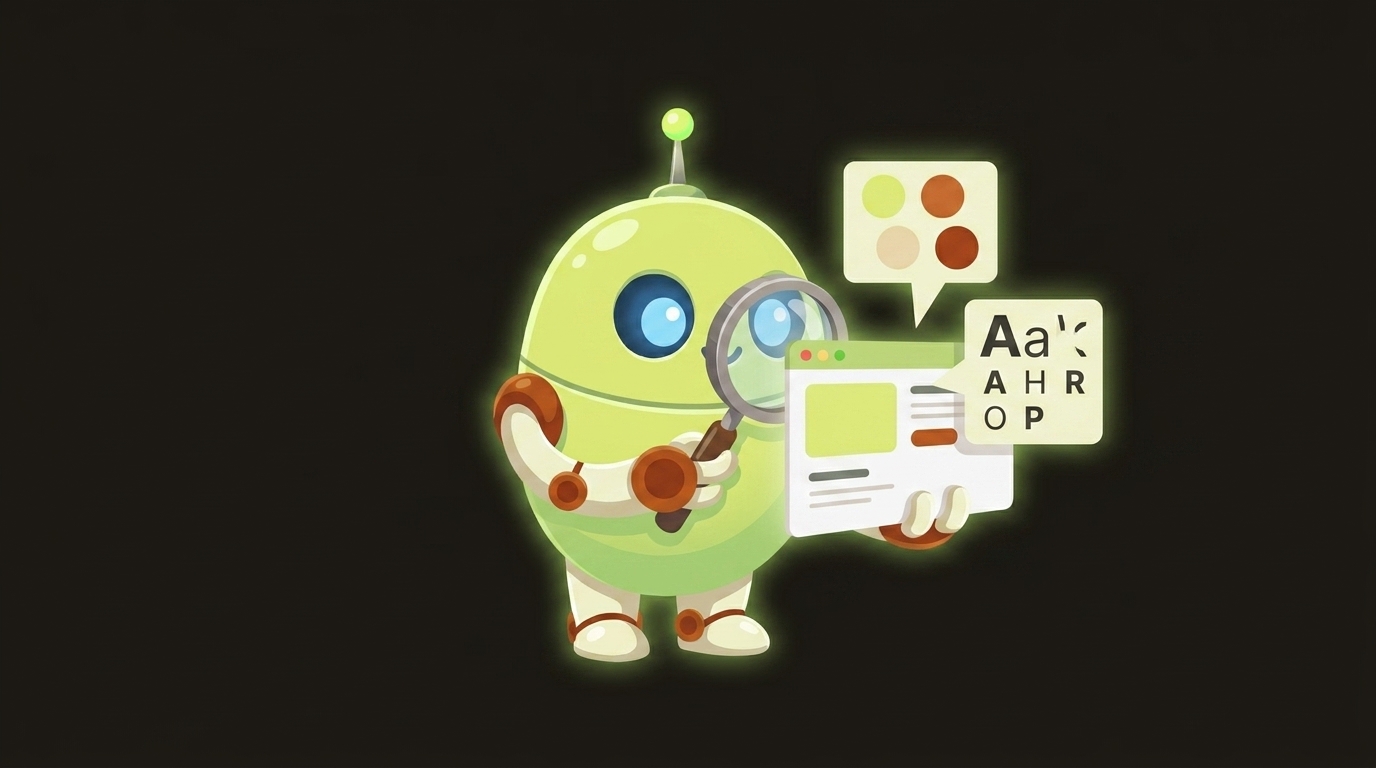
Point videoclaw at any company's website and it reads that site like a brand strategist — pulling the real colors, fonts, voice, and messaging into a single brand-dna.json file that can then seed a whole video brief --project automatically. You go from a URL to a brand-aware video plan --project in two commands.
What it does
- Reads a live website. Fetches the page (plain
fetch, no headless browser, no extra dependencies) and scrapes the title, meta description, body text, logo images, color values, and font families. - Extracts the real color palette deterministically. It harvests every
#hexandrgb()color on the page, throws out white/black/grey neutrals, ranks the rest by frequency, and keeps the top 3 as primary and the next 5 as secondary. Same site in, same palette out — every time. - Understands the brand's voice. One strict-JSON pass through Google Gemini turns the page text into structured fields: brand name, industry, tagline, value proposition, tone of voice, brand personality, target audience, key messages, plus an
imageryStyleandlayoutStylechosen from a fixed list. - Captures the logo. Picks the best logo candidate (a
logo-tagged image, falling back to theog:image, then the favicon). - Writes one machine-readable artifact —
brand-dna.json— that downstream stages can consume. - Seeds your brief.
video brief --from-brand-dnareads that artifact and auto-fills the brief's title and intent (from the brand name + value proposition) and parks the full brand profile undermetadata.brandDna. - Stays safe. It records logo URL, colors, and text only. Photoreal faces (founder headshots, people in
og:image) are never registered or passed downstream — they trip the real-person content filter and don't help anyway.
Why it matters: this is the only AI step in the whole brief → storyboard → story-bible chain. It is quarantined in its own stage with its own artifact, so everything after it stays deterministic and reproducible.
How to use it
All commands use node dist/cli/vclaw.js video .... If you installed videoclaw globally, you can type vclaw video ... instead.
node dist/cli/vclaw.js video init acme-launchCreates the project workspace at projects/acme-launch/.
export GEMINI_API_KEYS="key1,key2"   # or GOOGLE_API_KEY=...
node dist/cli/vclaw.js video brand-extract --project acme-launch --url https://www.acme.com
Scrapes the site, ranks the palette, runs the Gemini voice pass, and writes projects/acme-launch/artifacts/brand-dna.json. Prints the full artifact as JSON on stdout.
node dist/cli/vclaw.js video brand-extract --project acme-launch --url https://www.acme.com --gemini-endpoint https://my-proxy/v1beta/models/gemini-2.0-flash:generateContentSame, but routes the AI call through a custom endpoint (also overridable via VCLAW_GEMINI_API_ENDPOINT).
node dist/cli/vclaw.js video brief --project acme-launch --from-brand-dnaBuilds the brief straight from the extracted brand DNA — no --title or --intent needed. The brand name becomes the title and the value proposition becomes the intent.
node dist/cli/vclaw.js video brief --project acme-launch --from-brand-dna --title "Acme Spring Launch"Same, but you override one field by hand. Explicit flags always win; brand DNA only supplies the fallbacks you leave out.
How it flows
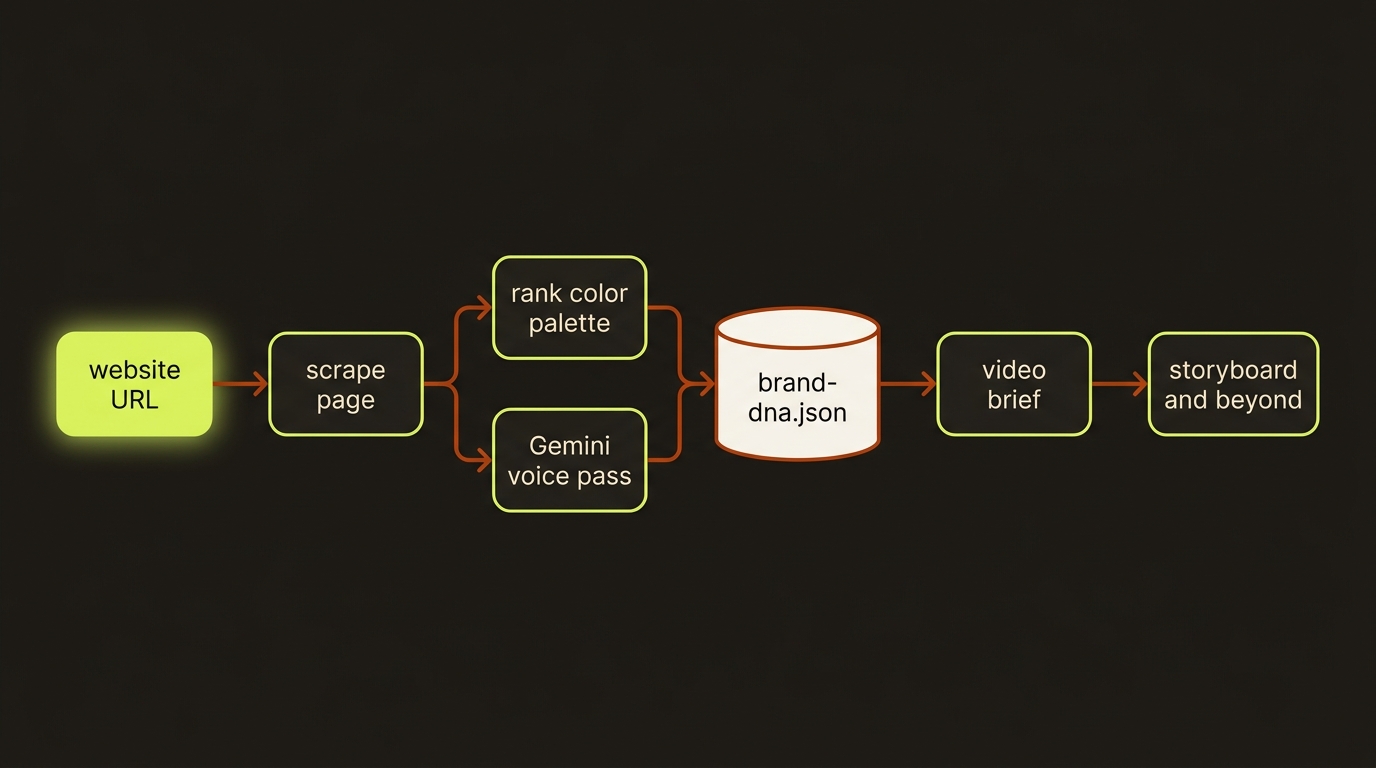
Diagram source (live Mermaid)
Artifacts & outputs
video brand-extract writes one artifact:
projects/<slug>/artifacts/brand-dna.json— schema:schemas/video/artifacts/brand-dna.schema.json.
Shape (schemaVersion: 1, kind: "brand-dna"):
brandName,industry,tagline,valueProposition,targetAudience— stringstoneOfVoice,brandPersonality,keyMessages— string arrays (3-5 entries each)primaryColors(top 3),secondaryColors(next 5),fonts— string arrayslogoUrl— string ornullimageryStyle— one ofprofessional | casual | illustrated | cinematic | minimalist | editoriallayoutStyle— one ofmodern | classic | minimalist | bold | editorialsourceUrl,createdAt,projectSlug— provenance
When you run video brief --from-brand-dna, the full brand profile is copied into the brief's metadata.brandDna so later stages (story bible, storyboard) can read it.
Tips & gotchas
Deterministic palette, AI voice
The colors and fonts are computed by code, not guessed by the model — so the palette is stable across runs. Only the voice/messaging fields come from Gemini (low temperature 0.2), and the deterministic palette is merged over any color the model might have hallucinated.
Gemini keys are required
brand-extract needs a Gemini API key. Set GEMINI_API_KEYS (comma-separated for round-robin) or GOOGLE_API_KEY. Without it the run fails with "No Gemini API keys configured". See the Gemini key pool.
URL must be http(s) and reachable
The URL is validated up front (only http:/https: are accepted) and the scrape fetch hard-times-out at 20 seconds so an unattended/overnight run can't hang. A non-200 response fails the command.
Run extract before brief
video brief --from-brand-dna errors if no brand-dna.json exists yet. Run brand-extract for that project first.
No faces leak downstream
By design, founder headshots and people in the page's og:image are never carried forward as reference images — they break the ARK/Seedance real-person filter. Describe characters by visual descriptor instead (see characters).
Driving it from an agent
An AI agent (e.g. Claude Code) runs node dist/cli/vclaw.js video brand-extract --project <slug> --url <site>, parses the JSON printed on stdout, then chains video brief --project <slug> --from-brand-dna to start the pipeline. Both commands exit non-zero with a structured missing_required_flag error (listing the missing flags) when --project/--url are absent or when the brand-dna artifact is missing for --from-brand-dna, so the agent can branch on exit code and re-run with corrected arguments.