
What videos can you make?
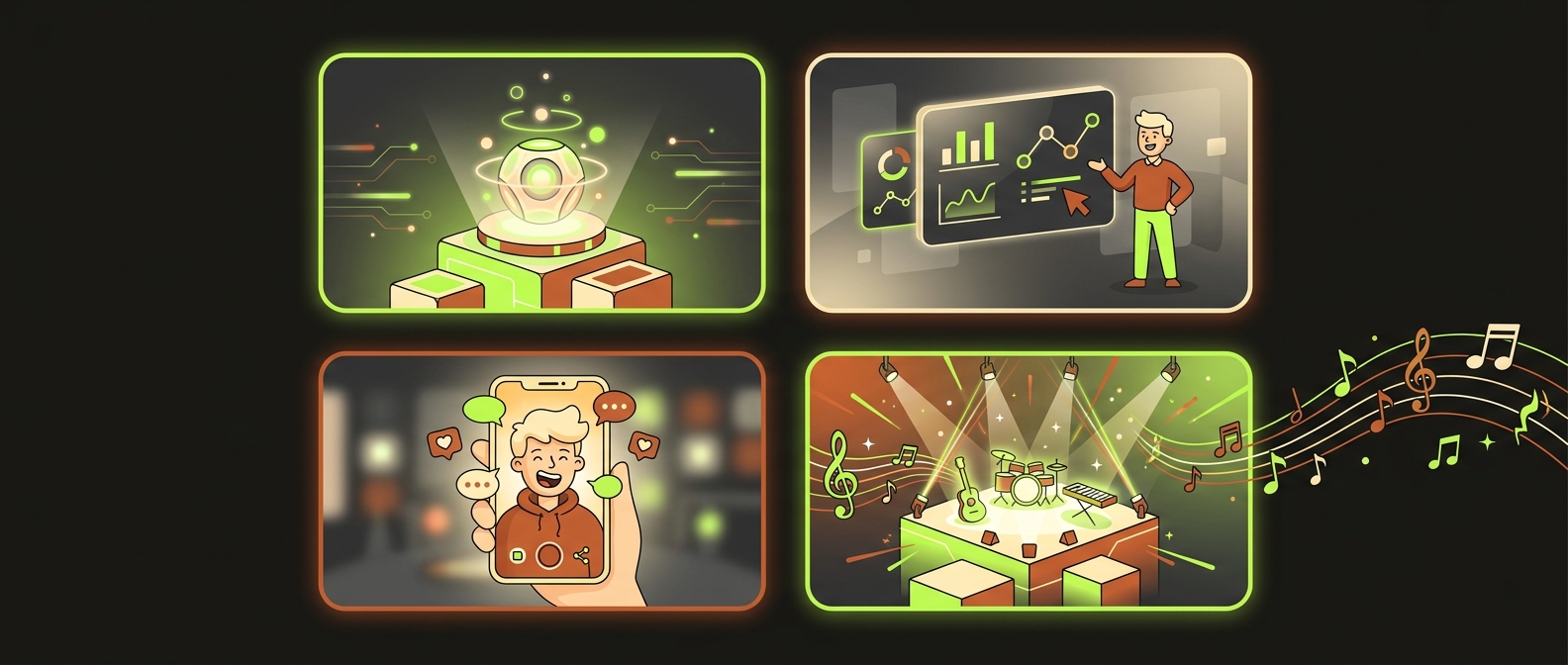
videoclaw turns a one-line idea into a finished, reviewed MP4 — product ads, narrated explainers, UGC campaigns, music videos, multi-scene short films, and social cutdowns. It drives real AI video engines (Veo, Seedance, Runway) through one consistent set of commands, keeps your characters looking the same in every scene, and lets a human approve the result before anything expensive runs.
This page is a menu of recipes. Each one tells you what it is, which approach drives it, and how to start — either with a copy-paste command or by just asking Claude Code in plain English.
A short, punchy 15-to-30s tease that opens on the product and closes on the logo.
studio --goal create-videoA host-led video walking the viewer through a topic with TTS voiceover and animated slides.
studio --goal presenter-videoAuthentic creator-style spots generated as a batch around one belief or message.
studio --goal ugc-campaignA multi-shot cinematic music video with tempo-matched cuts and a soundtrack.
studio --goal music-videoApply the structure and beats of a reference ad to your own product.
studio --goal copy-referenceA multi-scene narrative with a cast, locations, and a real approval gate.
video create --production-mode directorRe-target a finished render into vertical, square, or looping cuts with subtitles.
video set-execution-profile + assembleThe two easiest ways to start
- Talk to Claude Code — describe what you want; it picks the right recipe and drives the CLI for you. See Use it with Claude Code.
- Plan first, free. Every recipe maps to a
vclaw studiogoal you can dry-run with--dry-run. Studio prints the exact commands it would run and spends zero credits. Rehearse, then commit.
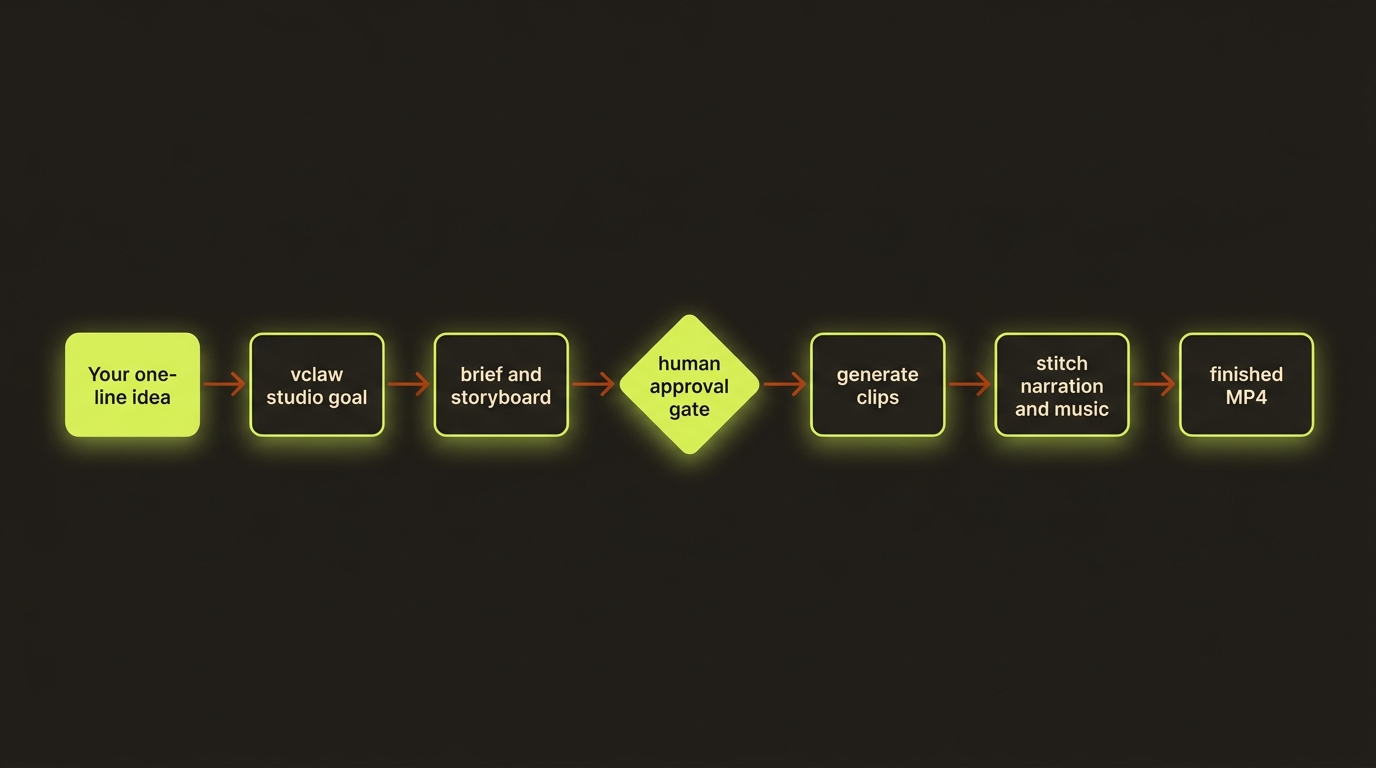
Diagram source (live Mermaid)
Product ad / commercial
What it is: A short, punchy ad for a product or brand — a 15-to-30-second tease that opens on the product and closes on the logo.
Driven by: the create-video studio goal and the video-framework skill, in director mode so you approve the storyboard before any render spends money.
How: You give videoclaw the product and a one-line intent. It writes a brief, breaks it into scenes, and auto-builds a story bible so the product, palette, and set stay consistent shot-to-shot. In director mode it stops at an approval gate — you look at the storyboard stills in your browser, click approve, and only then does it generate the real clips and stitch in music and a title card.
vclaw studio --dry-run --goal create-video --project coffee-ad \
  --intent "A 20 second cinematic ad for Aurora cold-brew coffee"
Or just ask Claude Code: "Make me a 20-second cinematic ad for my Aurora cold-brew coffee, director mode so I can approve it first."
Narrated presenter / explainer video
What it is: A host-led video — a branded presenter (or a slide deck) walking the viewer through a topic with voiceover narration, animated slides, and music.
Driven by: the presenter-video studio goal and the brand-presenter skill (with davendra-presenter, nex-presenter, and bunty as ready-made presenter presets).
How: Point it at a deck (PDF or slides) and a host profile. videoclaw narrates each slide with TTS, animates the slides, and — at assemble time — fits the narration to the video: it speeds the voice a hair if it runs long, otherwise keeps speech natural and loops the visual bed. The result is a clean explainer that sounds and looks intentional, not robotic.
vclaw studio --dry-run --goal presenter-video --project q3-update \
  --input deck.pdf --client "Acme"
Or just ask Claude Code: "Turn this deck.pdf into a narrated presenter video with the Nex host."
Cricket fans
The bunty preset turns a cricket scorecard or play-cricket URL into a ~2:30 "Match Day Analysis" video with a lip-synced cartoon commentator and TTS slide commentary — a fully-baked presenter recipe.
UGC-style campaign
What it is: Authentic, creator-style spots — the "person holding the product to camera" content that performs on social — generated as a batch around a single belief or message.
Driven by: the ugc-campaign studio goal and the ugc skill (the belief-driven E5 method).
How: You give it the product and the core belief you want the campaign to land. It plans a set of UGC-flavoured scenes, keeps the look casual-but-consistent, and produces variations you can A/B. Because every scene is a readable artifact, you can re-roll just the ones that miss without regenerating the whole campaign.
vclaw studio --dry-run --goal ugc-campaign --project skincare-ugc \
  --intent "UGC testimonials for a vitamin-C serum, belief: visible glow in 7 days"
Or just ask Claude Code: "Build me a UGC campaign for my vitamin-C serum around the idea that you see a glow in 7 days."
Music video
What it is: A multi-shot, cinematic music video — tempo-matched cuts, recurring characters and settings, and a soundtrack carrying the piece.
Driven by: the music-video studio goal, the multi-shot prompt composer, and the seedance-prompts reference library (which includes music-video patterns).
How: videoclaw builds provider-tuned multi-shot prompt packets — timecoded shots with camera language, mood, and tempo — then locks a story bible so your performer and locations stay identical across cuts. Pass a duration and it scales the shot plan to fit. The soundtrack rides through assembly and shows up as a player in the final preview portal.
vclaw studio --dry-run --goal music-video --project dhuaan --duration 60Or just ask Claude Code: "Plan a 60-second cinematic music video for my track, same performer in every shot."
Tempo phrasing
For pacing, describe what you want ("languid, drifting handheld") rather than negating ("not fast"). Negative direction doesn't steer these models reliably.
Clone an existing ad to a new product
What it is: You love how an existing ad or reference video is built — its structure, beats, and style — and you want the same recipe applied to your own product or brand.
Driven by: the copy-reference studio goal plus the video-analyze-template → video-clone-ad skills.
How: videoclaw analyzes the reference into a reusable template packet (style layers, beat compression, camera and dialogue notes), then re-targets that template onto your product via the clone workflow. You keep the proven structure; only the subject changes. The analysis and clone decisions are saved as artifacts, so you can reuse the same template across many products.
vclaw studio --dry-run --goal copy-reference --project rival-clone \
  --input https://example.com/that-great-ad.mp4 \
  --intent "Same structure, but for my running shoes"
Or just ask Claude Code: "Clone the structure of this ad and make the same thing for my running shoes."
Multi-scene short film (director mode)
What it is: A genuine multi-scene narrative — several connected shots with a cast, locations, and a story arc — produced with a real review gate so nothing renders until you've signed off.
Driven by: the movie-director skill (12 genres, two-phase approval) running in director mode.
How: This is where the story bible and reference sheets earn their keep — they keep the same people, outfits, sets, and props looking identical scene to scene, which is the #1 thing that breaks in multi-scene AI video. Director mode adds preflight checks (content hazards, reference validity, pronoun drift) and a hard approval gate. You can also re-generate a single scene with produce --project <slug> --scene <n> instead of rebuilding everything.
vclaw video create "A 4-scene neo-noir heist short, two recurring characters" \
  --project heist --production-mode director
Or just ask Claude Code: "Direct a 4-scene neo-noir heist short with two recurring characters, and stop for my approval before rendering."
Consistency is automatic
The story bible (artifacts/story-bible.json) is auto-written every time you build a storyboard — deterministically, spending no credits — so your cast and settings stay continuous across scenes and re-rolls.
Long-form & social cutdown
What it is: Take a finished render and ship it everywhere — a vertical cut for Reels/TikTok, a square cut for the feed, a looping version, plus a thumbnail and burned-in subtitles.
Driven by: the post-production commands and the video-post skill.
How: Re-target a project's aspect ratio with set-execution-profile (use 9:16 for vertical Reels/TikTok, 1:1 for the feed) and let assemble re-stitch from the same master — its post-production helpers (cut-at-3s tail trim, letterbox normalization, gated Topaz upscale) shape each variant. No re-render of the underlying clips needed.
vclaw video set-execution-profile --project coffee-ad --aspect-ratio 9:16
vclaw video assemble --project coffee-ad
Or just ask Claude Code: "Cut my finished coffee ad into a vertical version for Reels and re-assemble it."
Already have a project?
Two more studio goals cover the rest of the lifecycle:
| Goal | Use when | Start with |
|---|---|---|
existing-project | Continue a project and get the safest next step | vclaw studio --dry-run --goal existing-project --project demo |
review-regenerate | Review, re-roll, or approve specific scenes | vclaw studio --dry-run --goal review-regenerate --project demo |
publish-deliver | Build a review/preview portal and ship it | vclaw studio --dry-run --goal publish-deliver --project demo --client "Acme" |
brand-campaign | Pull brand DNA from a website and plan an on-brand campaign | vclaw studio --dry-run --goal brand-campaign --project demo --input https://acme.com |
Why this is powerful
Every recipe runs on the same explicit assembly line: each stage writes a readable file, a human can approve before money is spent, providers never silently swap, and your characters stay consistent. You get the range of a full studio with the auditability of plain JSON.
Next steps
- Make your first video — the hands-on walkthrough, free.
- Use it with Claude Code — let an agent drive any recipe above for you.
Plan and review for the format
Use the shared filmmaking workflow for new agent-led productions. An advert, explainer, narrative, montage, music video and technical test need different creative checks. create still authors legacy storyboards; add the explicit film plan through storyboard --film-plan to use the shared contract.
For rap or lip-sync, finish the recording first and use the existing rap-avatar-mv skill and its recording-led lip-sync guidance. The audio waveform controls mouth timing; written lyrics support articulation. Segment lengths depend on the selected route. Do not assume switching generated audio off preserves that route’s transcription, retiming or vocal-swap workflow.